# Clone a design to another device size

### Clone to the new device size

<figure><img src="https://3559485764-files.gitbook.io/~/files/v0/b/gitbook-x-prod.appspot.com/o/spaces%2FeV2PJFlO5LImjdD5i7oV%2Fuploads%2FXiuezmH0BLMhcIVFeSP9%2Fclone%20your%20screenshots.png?alt=media&#x26;token=2d09abca-85a4-463d-9d52-de6f68131ee1" alt=""><figcaption></figcaption></figure>

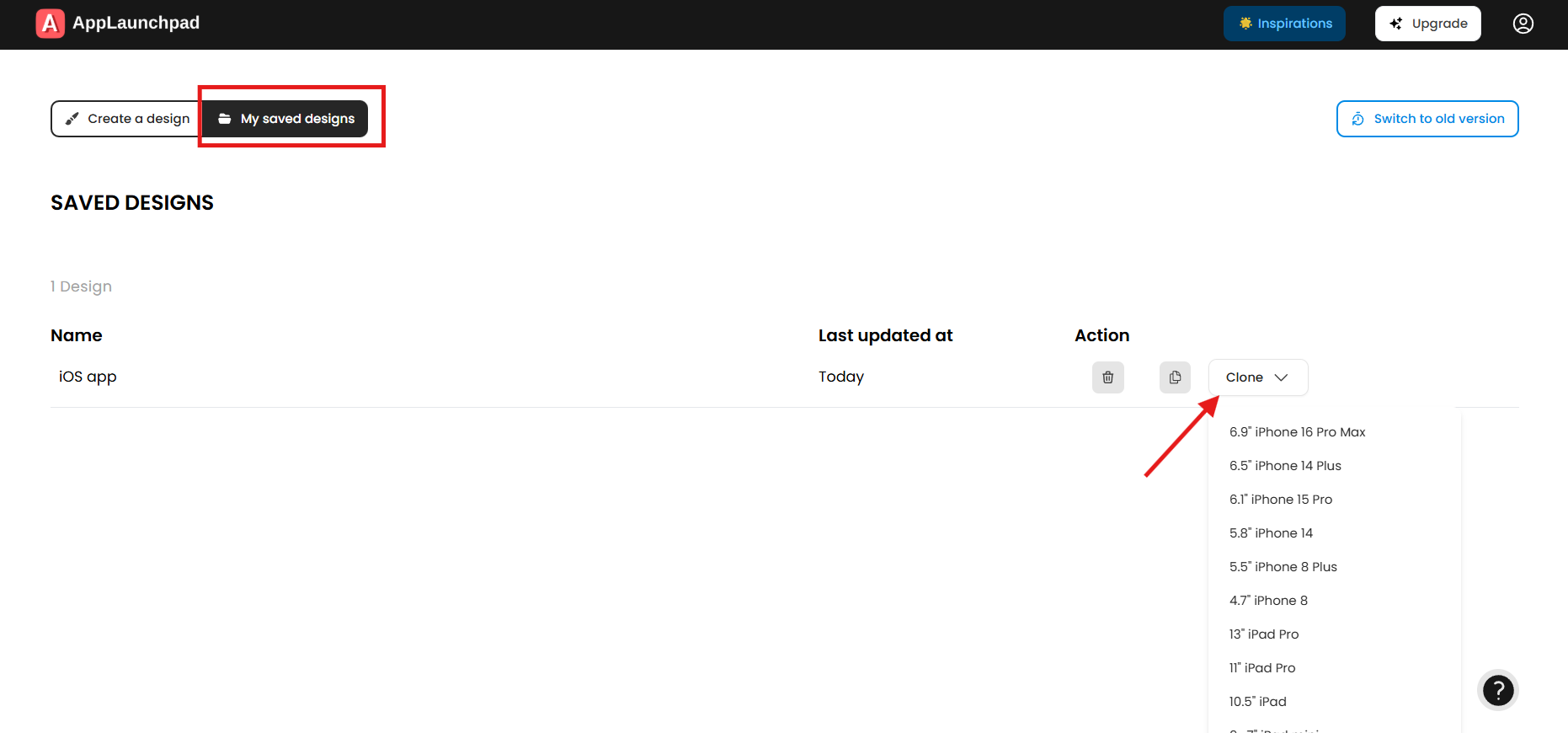
If you want to upload iPhone and iPad screenshots to the App Store, but don’t want to create new screenshots for iPad. You can easily clone your iPhone screenshots for an iPad device using AppLaunchpad. This will help to auto-scale a design to a new device size.&#x20;

1. Click on **My saved designs** to see all your saved projects.
2. Select the design you want to clone to a new device.
3. Choose a device from the **Clone** dropdown.

<figure><img src="https://3559485764-files.gitbook.io/~/files/v0/b/gitbook-x-prod.appspot.com/o/spaces%2FeV2PJFlO5LImjdD5i7oV%2Fuploads%2F7oDRKd8YIxvkxMleMR1l%2Fcloned%20screenshots%20copy.png?alt=media&#x26;token=24d2427c-fcb2-4682-9750-6bb506a61883" alt=""><figcaption></figcaption></figure>

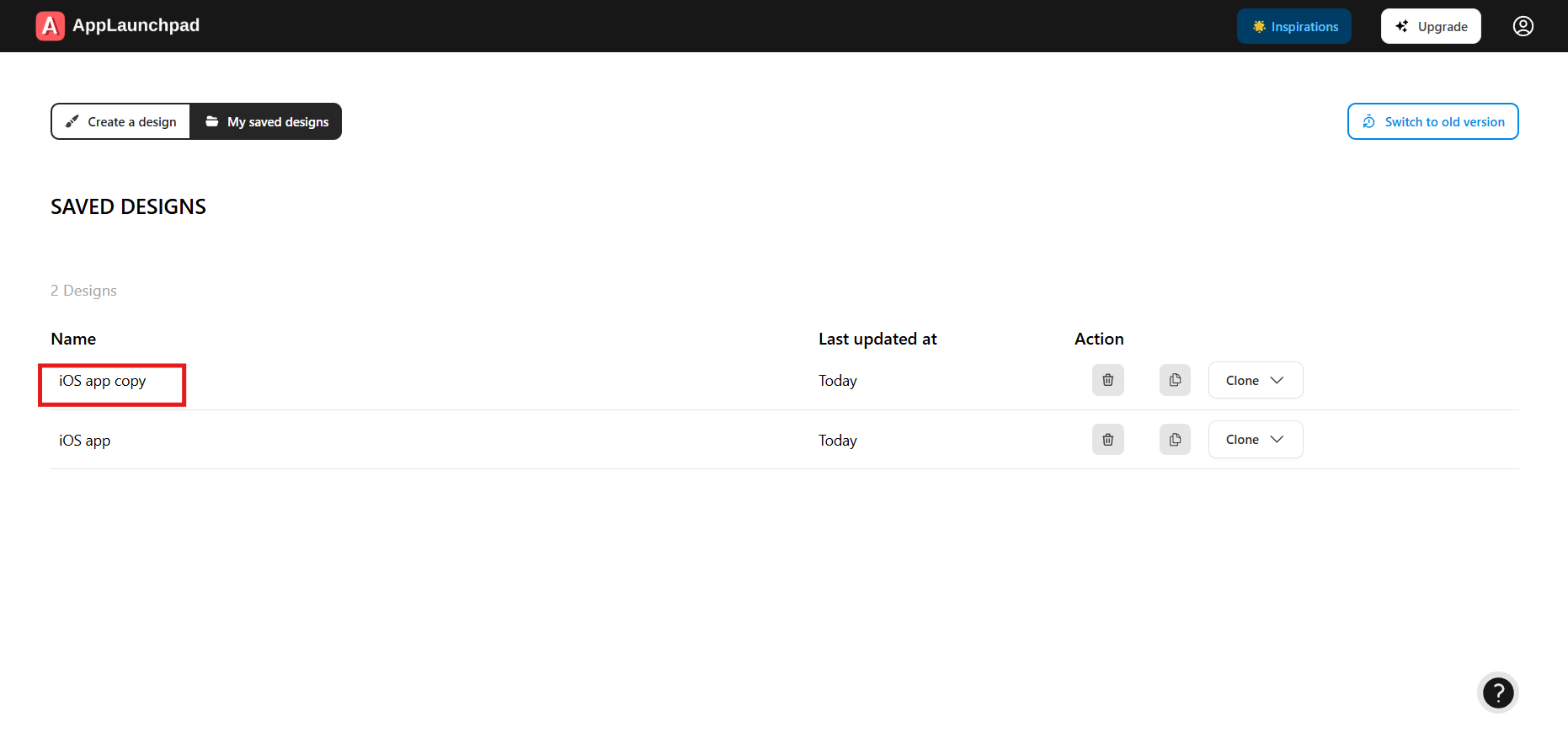
4. Once you select the device, your new design will get saved to **My saved designs**.