# How to reset password?

### Reset Password

<figure><img src="https://3559485764-files.gitbook.io/~/files/v0/b/gitbook-x-prod.appspot.com/o/spaces%2FeV2PJFlO5LImjdD5i7oV%2Fuploads%2FlAZNH3cIaKRNM9kZZP0V%2F1.1.png?alt=media&#x26;token=2b5b0cfa-a7f4-4fb7-b796-9ed857592c37" alt=""><figcaption></figcaption></figure>

1. Click on **Log in** and click on **Forgot Password** link.

<figure><img src="https://3559485764-files.gitbook.io/~/files/v0/b/gitbook-x-prod.appspot.com/o/spaces%2FeV2PJFlO5LImjdD5i7oV%2Fuploads%2FO7nUAnn6QHnqgc6UGZi6%2F2.png?alt=media&#x26;token=2ab99726-79c8-41ee-904a-f5bad2f9095b" alt=""><figcaption></figcaption></figure>

2. Input your email address for your account.
3. Next click on **Reset Password** button.

<figure><img src="https://3559485764-files.gitbook.io/~/files/v0/b/gitbook-x-prod.appspot.com/o/spaces%2FeV2PJFlO5LImjdD5i7oV%2Fuploads%2Fr5MzqqKzSnjEoBvj9jOj%2F3.png?alt=media&#x26;token=f6fa4d6d-0d4b-4f6a-bee6-09a81d8fd2dc" alt=""><figcaption></figcaption></figure>

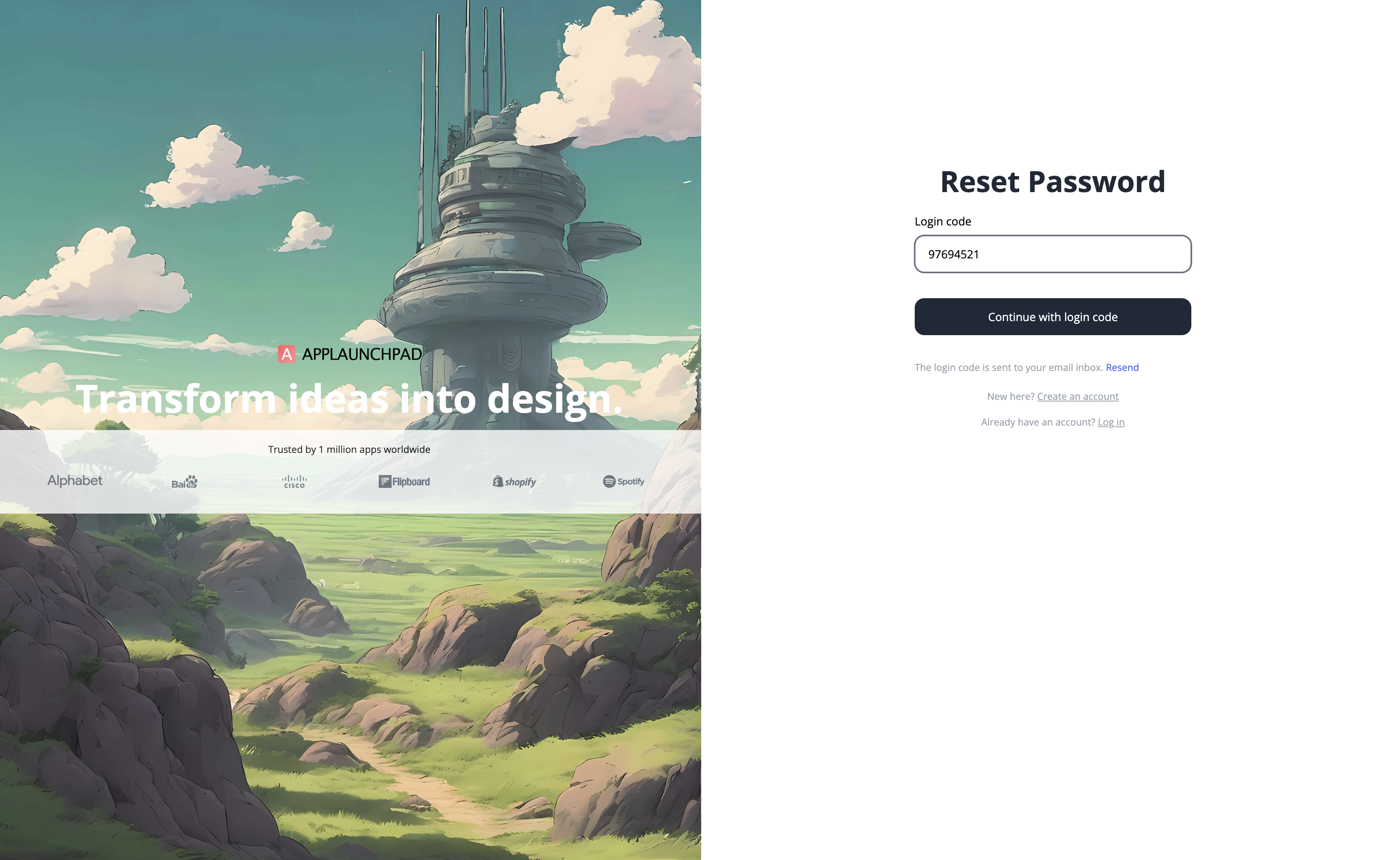
4. Enter the **login code** you received in your email.&#x20;
5. Check **spam** folder if you didn't receive the login code in inbox or click on **resend**.&#x20;
6. Next click on **Continue with login code**.

<figure><img src="https://3559485764-files.gitbook.io/~/files/v0/b/gitbook-x-prod.appspot.com/o/spaces%2FeV2PJFlO5LImjdD5i7oV%2Fuploads%2FGSf1cQYE5P3er4RsWbxX%2F4.png?alt=media&#x26;token=678acc12-5fc3-4943-ade5-069817d8c618" alt=""><figcaption></figcaption></figure>

7. Provide a new password. Follow the password [rules](https://applaunchpad.gitbook.io/untitled/account-management/create-user-password).&#x20;
8. Click on **Reset Password** button.
9. Once your password is reset you will get a Password reset confirmation.

<figure><img src="https://3559485764-files.gitbook.io/~/files/v0/b/gitbook-x-prod.appspot.com/o/spaces%2FeV2PJFlO5LImjdD5i7oV%2Fuploads%2FAwARrUiG6q3TVizS4jcq%2F5.png?alt=media&#x26;token=9d4c710c-4af4-4e06-a5b3-a6079d725edb" alt=""><figcaption></figcaption></figure>